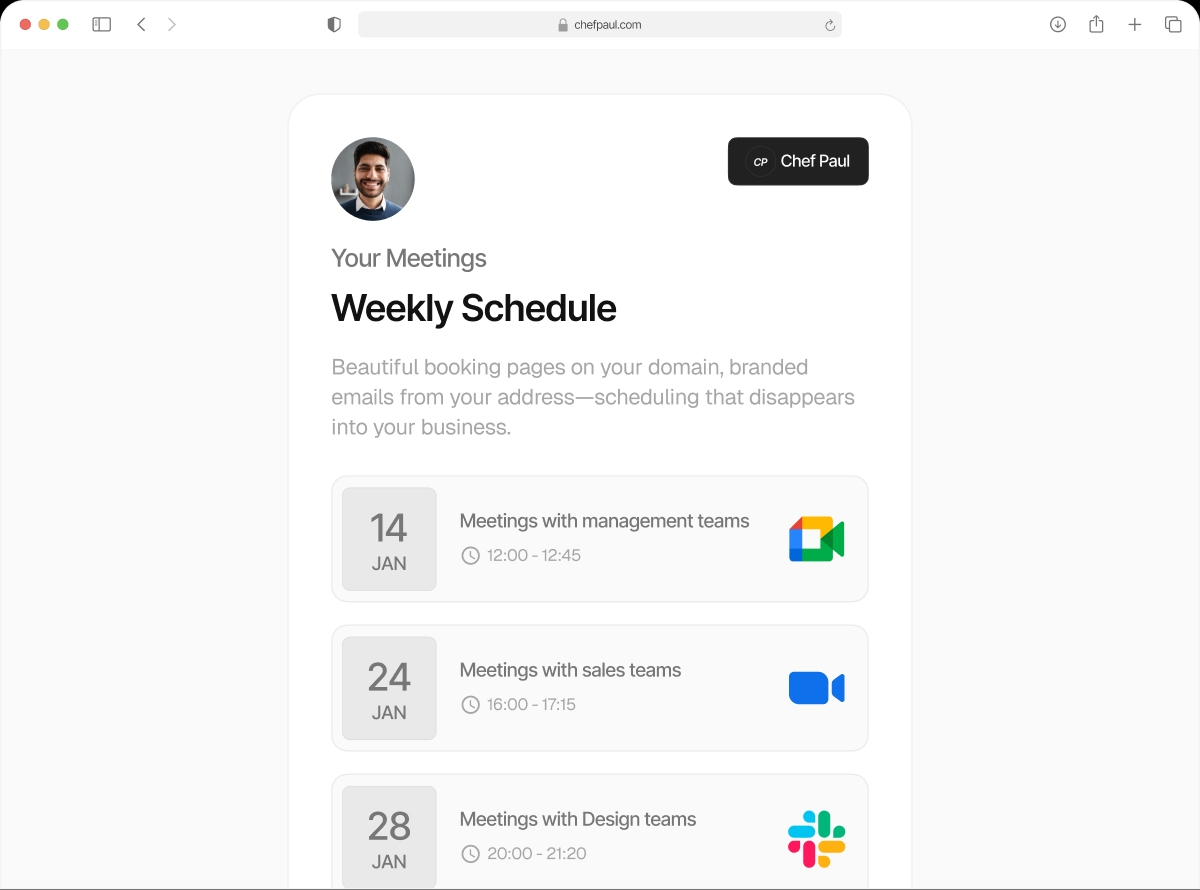

Your booking page. Your domain. Not ours.
Stop sending clients to calendly.com/your-name. With Schedule.so, your booking page lives at your domain — meetings.yourbrand.com — so every touchpoint looks like you.
Trusted by coaches, clinics, consultants, and sales teams who care about their brand.
Right now, your booking link tells people you're using someone else's tool.
Every time you send "calendly.com/your-name", you're advertising a competitor's brand — not yours. It erodes trust, looks unpolished, and signals you're just another user of a generic tool.
With Schedule.so's custom domain feature, your booking page lives at an address you control. Your clients never see another company's name.
Without Schedule.so
With Schedule.so
VerifiedSet up your custom domain in minutes
No developers needed. No complicated DNS wizardry. Just three simple steps and your booking page is home.
Get started freeConnect Your Domain

Head to your Schedule.so settings and enter the subdomain you want to use — like meetings.yourbrand.com.
Add a CNAME Record

In your domain registrar (GoDaddy, Namecheap, Cloudflare — any will do), add the CNAME record we give you. Takes about 60 seconds.
You're Live

That's it. Your booking page is now at your domain, secured with SSL, and ready to share. All existing links update automatically.
Everything you'd expect, and nothing you wouldn't
Free SSL included
Every custom domain gets automatic HTTPS — no certificates to manage, no annual renewals, no extra fees.
All your links update instantly
Switch your domain and every booking link you've ever shared updates automatically. No broken links, no hunting down old URLs.
Fully branded experience
Pair your custom domain with your logo, brand colors, and a custom email sender for a completely white-labeled booking experience.
Works on every paid plan
Custom domains are available from our Essentials plan upward — no need to upgrade to Enterprise just to use your own URL.
Any subdomain you like
Use meetings.yourbrand.com, book.yourbrand.com, schedule.yourbrand.com — whatever fits your brand.
Fast on every device
Your branded booking page is served from a global CDN so it loads quickly for clients anywhere in the world.
How Schedule.so custom domains stack up against Calendly
| Feature | Schedule.so | Calendly |
|---|---|---|
| Custom domain (your subdomain) | ||
| Free SSL on custom domain | ||
| White-label booking page (no branding) | Enterprise only | |
| Automatic link migration on domain change | ||
| Custom email sender domain | Enterprise only |
Built for people who care about their brand
Independent Coaches & Consultants
You've worked hard to build your reputation. Every touchpoint should reflect your brand — not Calendly's. Give clients a booking experience that feels as polished as your work.
Agencies & Creative Studios
You white-label everything for your clients — your scheduling tool should be no different. Set up a custom domain in minutes and keep your client experience immaculate.
Clinics & Healthcare Providers
Patient trust starts before the appointment. A booking page at your own domain signals professionalism and security from the very first click.
Sales Teams & Revenue Orgs
When prospects book a call, they should land on your company's domain — not a third-party tool's. Keep your funnel tight and your brand consistent from first touch to close.
Frequently asked questions
Yes — you’ll need a domain you control so you can add a CNAME record. If you don’t have one yet, you can register one through any major registrar (GoDaddy, Namecheap, Google Domains, Cloudflare, etc.) for a few dollars a year.
We recommend using a subdomain (e.g. meetings.yourbrand.com) because CNAME records can only point to subdomains. Most registrars don’t support CNAME records on the root domain. A subdomain like book. or meetings. is both technically correct and looks great.
No — all your existing links are automatically redirected to your new custom domain. Anyone who bookmarked your old Schedule.so link will be seamlessly sent to your branded URL. Nothing breaks, and you don’t need to update anything manually.
SSL is included automatically at no extra cost. As soon as your CNAME record propagates, we provision a certificate for your subdomain. Your booking page will be served over HTTPS from day one — no setup required on your end.
Custom domains are available on all paid plans — Essentials, Pro, and Enterprise. They’re not available on the free Starter plan. View our pricing page to compare plans.
DNS changes typically propagate within a few minutes to a couple of hours, though in rare cases it can take up to 48 hours depending on your registrar and TTL settings. Most users are live within 15 minutes.
Your booking page should say your name.
Stop advertising your scheduling tool. Start owning every step of your client experience.